
SharkLogin is a fingerprint browser designed for cross-border e-commerce and multi-account management. Unlike standard browsers, it offers free use with advanced features such as environment isolation, multiple fingerprints, and anti-association protection. It helps sellers, marketers, and agencies securely build and grow accounts across different platforms without risks of bans. With strong market adoption and positive reviews, SharkLogin is trusted by users worldwide to handle multiple accounts, manage diverse environments, and ensure safe and efficient online operations.
For Amazon sellers, managing multiple stores (e.g., for niche products or global markets) is a growth must—but it's a risk. Amazon's algorithms don't just track IPs; they use browser fingerprinting to link your accounts. One matched fingerprint = account suspension, frozen funds, or permanent bans. The only way to stay safe? An anti detect browser—it teaches you how to avoid browser fingerprinting detection and prevent account linking, so your Amazon business stays protected.

Amazon's detection system is smarter than you think. It doesn't just look for shared logins—it hunts for your “digital fingerprint”: a unique mix of device and browser details that never changes with incognito mode or basic VPNs.
Amazon collects these details to link accounts:
If your “Home Goods” and “Electronics” Amazon stores share this fingerprint, Amazon flags them as “linked”—and shuts one down.
An anti detect browser doesn't just “hide” your identity—it rewrites your fingerprint to keep Amazon in the dark. Here's how it solves your biggest risks:
It creates a fake (but Amazon-friendly) fingerprint for every account. For example:
Amazon can't link them—even if you manage both from the same office.
Each Amazon store gets its own “profile”: separate cookies, cache, and IP address (via proxy integration). This means:
It finds and stops the hidden code Amazon uses to collect your fingerprint—before the platform can grab your device details.

Don't just “set it and forget it”—follow these rules to avoid mistakes:
Never reuse a profile for two stores. Label them clearly (e.g., “Amazon US Pet Beds,” “Amazon UK Skincare”)—mix-ups here are the #1 cause of accidental linking.
Amazon bans data center IPs instantly—they look “fake.” Pair each profile with a residential proxy (e.g., a real U.S. IP from a home internet connection) to look like a legitimate shopper/seller.
Don't change a profile's fingerprint mid-month. If Amazon sees your “US Pet Beds” store suddenly switch from a “Windows 11” to “macOS” fingerprint, it will flag your account.
Never copy-paste product listings between profiles, or use the same email for Amazon support across stores. Amazon tracks behavior too—not just fingerprints.

You shouldn't have to choose between growing your Amazon stores and keeping them safe. An anti detect browser gives you:
Stop letting Amazon's algorithms control your business. Try an anti detect browser built for Amazon sellers now—your profits (and peace of mind) depend on it.
☛ [Get Your Amazon-Focused Anti Detect Browser] — Risk-Free 3-Day Trial.

Sharklogin
Author
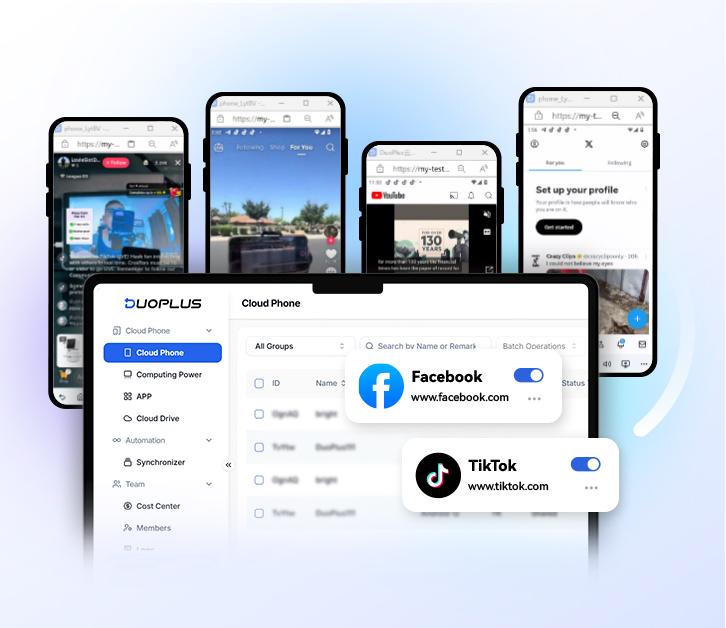

 Multiple Amazon Stores Management
Cross-Border Seller IP Rotation
 3-day free trial
Full features unlocked
No credit card needed
3-day free trial
Full features unlocked
No credit card needed
Key features
I. Amazon's Hidden Threat: Browser Fingerprinting for Sellers
II. How an Anti Detect Browser Saves Your Amazon Business
III. 4 Amazon-Specific Tips for Using an Anti Detect Browser
IV. Protect Your Amazon Business Today
Multiple Amazon Stores Management
Cross-Border Seller IP Rotation

 Sign Up
 Download


